GPU access
Graphics processing units (GPUs) are specialized processors that can dramatically accelerate execution of parallelizable algorithms.
The most common use cases for GPUs in high energy physics are training and inference of machine learning models, however there are other frameworks and algorithms optimized to run on GPUs. For example, Purdue AF also allows you to use GPUs to accelerate RooFit fits.
How to access GPUs at Purdue AF
1. Direct connection
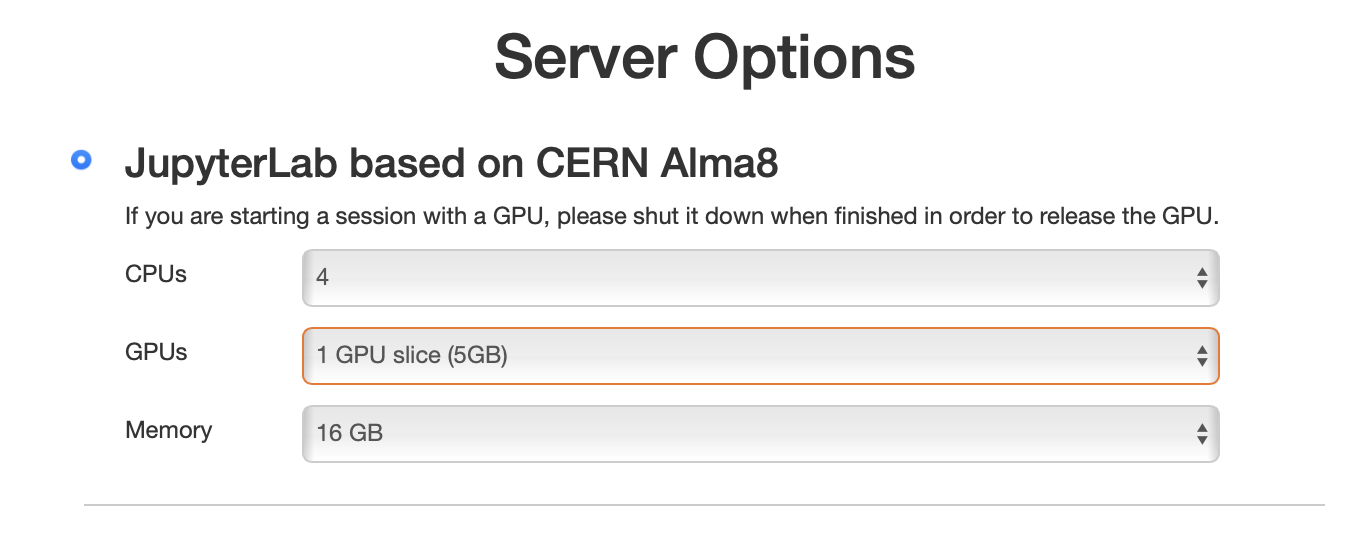
You can start an AF session with interactive access to an Nvidia A100 or Nvidia T4 GPU by selecting it at the resource selection step (see screenshot below). For A100s you can choose either a 5 GB "slice" or a full 40 GB GPU.
| Configuration | Memory | Availability |
|---|---|---|
| 5 GB "slice" of A100 | 5 GB | Usually immediate |
| Full A100 GPU | 40 GB | Subject to availability |
| NVIDIA T4 | 16 GB | Usually immediate |
The GPUs installed at the facility are listed in Hardware.
Tip
The resource selection form shows the current availability of each GPU configuration next to the corresponding option, so you can see before starting the session whether a GPU of that flavor is free.
Note
If you selected a GPU, your session will have CUDA 12.4 and cudnn 8.9.7.29
libraries loaded. Take this into account if you need to install particular
versions of ML libraries — these libraries are notoriously sensitive to the
CUDA version.
Important
Please terminate your session after using a GPU in order to release it for other users. Idle GPU sessions are shut down sooner than regular ones — see Idle sessions.
2. Slurm jobs (Purdue users only)
You can use Slurm to submit multiple GPU jobs to run in parallel. To request a GPU
for a Slurm job, simply add the --gpus-per-node=1 argument to the sbatch command.
- Slurm jobs submitted directly from the Purdue AF interface are executed on the Hammer cluster, which has Nvidia T4 GPUs.
-
If you need more GPUs, or different GPU models, consider submitting Slurm jobs on the Gilbreth cluster. To log in to Gilbreth directly from the Purdue AF interface, simply run
ssh gilbrethand use BoilerKey two-factor authentication. Once logged in, you can use the Slurm queues on Gilbreth to run GPU jobs.Important
The only storage volume shared between Purdue AF and the Gilbreth cluster is
/depot/— save the outputs of your jobs there.
3. Ray clusters
From a session started without a GPU, you can train on GPUs all the same: a job submitted from a notebook runs on a Ray cluster of your own, with one or more A100 slices or T4s, whether or not the notebook stays open — see Training on GPUs with Ray.
GPU support in common ML libraries
-
PyTorch — does not require any special installation, as long as its version supports
CUDA 12.4andcudnn 8.9.x(this is already true for the global Pixi environment). See the PyTorch CUDA semantics documentation. -
XGBoost — enable GPU support by setting the
deviceparameter tocuda. Refer to the XGBoost GPU documentation for details.
You can verify that your session sees the GPU with nvidia-smi, or from Python:
If you experience any issues, or are missing any ML libraries, please contact Purdue AF support.